
To access your video interview on Vieple (via live.vieple.com) you must use a compatible web browser from your device:
- For desktop PC or Mac – use Google Chrome, Microsoft Edge, Safari or Firefox
- For Apple iOS mobile devices – use Safari
- For Android mobile devices – use Google Chrome
For the best experience, we recommend using the Google Chrome or Mozilla Firefox browsers. If you are using a mobile device, we recommend that you use your device's native browser to conduct the video interview (listed above)
Check your device has compatible or latest version software installed
For desktop and android mobile devices: use the latest software version available for your device.
- For Apple iOS mobile devices: your device requires software version 12.2 or later.
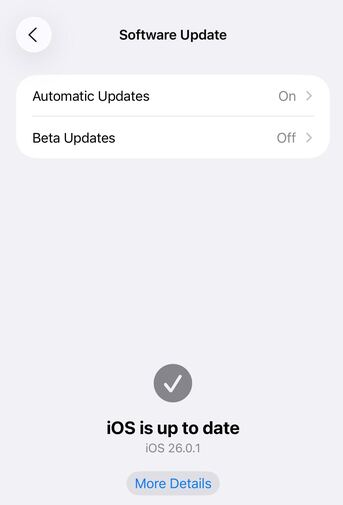
- To check the iOS software version on your device, go to Settings > General > Software Update > check your software version > install any later software update available (if required).
Check you have enabled camera and audio permissions
Refer to this article to check you have enabled these permissions from your deviceGranting Camera and Microphone Permissions in Vieple
Check Low Power or Battery saving settings are OFF
For Android devices: Check any battery saving settings are set to Off:
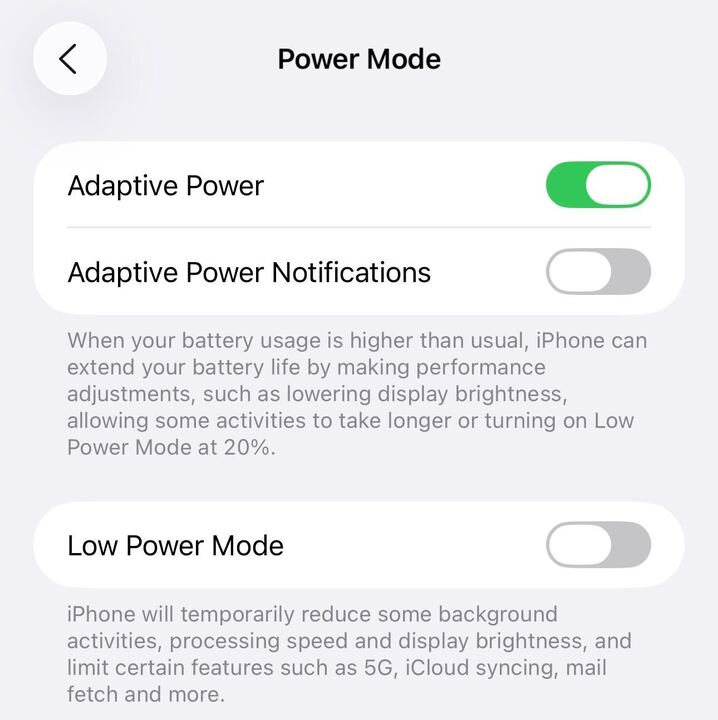
For iOS devices: Go to Settings > Battery > check Low Power mode status is set to Off.
For further assistance, select ‘Contact us’ (located in the top right header of this page) to email a member of the support team.
 Technical Troubleshooting tips - Vieple