
What is my Testgrid username?
In most cases your username will be the email address you used when creating your Testgrid account.
If you have not created your account yet, refer to this article: Create your Testgrid account
In some cases, however, you may be provided with login credentials to use or specific instructions on how to create your username in your invitation email instructions. Please refer back to your invitation instructions if you are unsure.
If you are trying to log in and complete an online assessment or complete forms on our Testgrid platform, your username would be either
- the email address that your invitation was sent to
- Or InstantXXXX - if you have been provided with an Instant account link in your invitation email.
Please note, Instant accounts are not tied to your email address so you cannot reset your password using the standard online reset process. In this case, you'll need to contact support@testgrid.com for further assistance to reset your access.
How do I reset my Testgrid password?
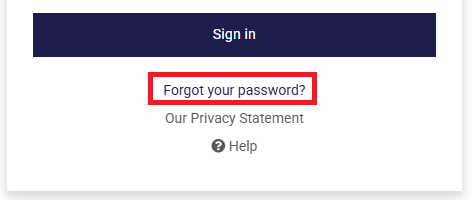
If your account is tied to your email address (not InstantXXXX) and you are unsure of your password, click on the "Forgot your password?" link from the Testgrid log in screen:
When should I complete my Online assessment?
Your invitation email will provide a due date and time by which the online assessment(s) must be completed. After this deadline your invitation will expire, and the assessment cannot be completed.
You may begin and finish your interview at any time after receiving the invitation and before the stated deadline. Completing the interview well in advance of the deadline is highly recommended to avoid the risk of any unexpected issues.
How do I prepare for an Online Assessment?
Our Online assessments are designed to check your current skills, so there’s no need to worry about studying or taking notes beforehand.
You can explore demo versions for some of our Cognitive (Aptitude) and Behavioural assessments here:
https://info.testgrid.com/sample-testing-centreBefore you begin, we recommend you log in to the Testgrid platform to see which assessments you'll be taking.
Keep in mind that there might not be a demo for your assessment. The demo assessments do not record your results — they’re just there for you to practice and get comfortable.
For more useful tips check out Some Do’s and Don’ts of Psychometric testing
I didn’t receive an activation email from Testgrid
If you haven't received your activation email (after waiting 10 minutes) please check in your spam or junk folder.
Still haven’t received your activation email? Click the “Contact Us” button at the top of the page to email our Support team. Be sure to include:
- Your full name and email address
- The company that invited you
- A copy of your invitation email
- A description of the issue/query
My completion deadline has passed
If your deadline has passed, contact your recruiter or organisation to request an extension. Testgrid cannot extend deadlines without their authorisation.
Can I change my selected answer in an Online Assessment?
When beginning an Online Assessment, you will be provided with the specific instructions for the assessments and advised if answers can be changed during the assessment.
Getting help – Testgrid Online Assessments
- Experiencing a technical issue?
- Check the topics covered in our Technical troubleshooting tips – Online Assessments articles
- Click on ‘Contact us’ located in the top right header of this page to email a member of the support team.
- Open up a live chat with a member of our Support team here, simply click on the help icon at the bottom right corner of this page or Open a live chat on Testgrid
- If we can’t respond to your chat message straight away, we will ask you to leave your details and we will get back to you as soon as possible.