
To access your Online assessment, check you are using a compatible web browser from your device:
- For desktop PC or Mac – use Google Chrome, Microsoft Edge, Safari or Firefox
- For Apple iOS mobile devices – use Safari
- For Android mobile devices – use Google Chrome
For the best experience, we recommend using the Google Chrome or Mozilla Firefox browsers. If you are using a mobile device, we recommend that you use your device's native browser to complete your assessment (listed above).
2. Check your device has compatible or latest version software installed
For desktop and android mobile devices: use the latest software version available for your device.
For Apple iOS mobile devices: your device requires software version 12.2 or later.
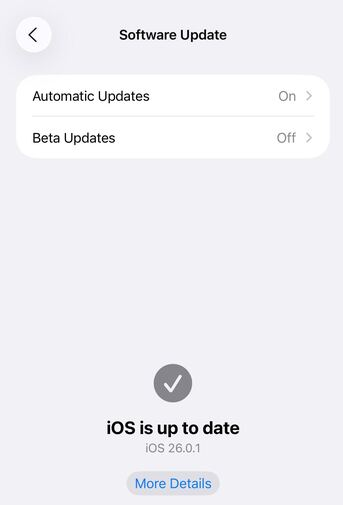
To check the iOS software version on your device, go to Settings > General > Software Update > check your software version > install any later software update available (if required).
3. Try using a different device
If you have access to a different device, this may be a quick way to resolve your current issue.
Some Online assessments are not optimised for use via mobile devices so if you are experiencing page loading or display issues, please refer to this article: Testgrid page won’t load or isn’t displayed properly.