What is my username?
For Testgrid accounts:
In most cases your username will be the email address you used when creating your Testgrid account.
In some cases, however, you may be provided with login credentials to use or specific instructions on how to create your username in your invitation email instructions. Please refer back to your invitation instructions if you are unsure.
If you are trying to log in and complete an online assessment or complete forms on our Testgrid platform, your username would be either
- the email address that your invitation was sent to
- Or Instant XXXX - if you have been provided with an Instant account link in your invitation email.
Please note, Instant accounts are not tied to your email address so you cannot reset your password using the standard online reset process. In this case, you'll need to contact support@testgrid.com for further assistance to reset your access.
For Video interviews:
Your username is provided on your invitation email. Refer to the example in the article below:
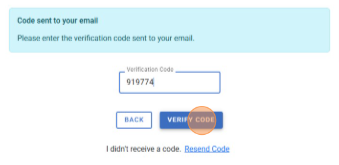
I didn't receive my activation code
Verification code emails may take up to 5 minutes to be received.
If you do not receive a code in this time, you can click the “re-send code” link to generate a new code.
How long do I have to complete testing?
You'll find the deadline for your assessment in the invitation email from Testgrid or Vieple. If you complete your assessment early, you'll have extra time just in case anything pops up unexpectedly.
Some assessments come with a time limit, which you'll see when you log in to begin. Don't worry—the platform will show a countdown timer for each question, making it easy to keep track as you go!
If you’re having trouble finishing your assessment or video interview by the deadline, you’ll need to reach out to your recruiter or organisation who arranged the testing to see if they can give you some extra time. Testgrid can’t approve deadline extensions without direct approval from your recruiter or organisation.
Here are some easy ways to get in touch with your recruiter:
- Review previous email correspondence for instructions and contact details.
- Reply directly to any messages you’ve received from your recruiter or organisation contact.
Can I repeat my test?
Generally, you cannot retake or resubmit your assessment after completion. If extenuating circumstances arise, you’ll need to contact the recruiter or organisation for guidance.
What happens once I have completed my testing?
After completing your assessments, review any prior communications from your recruiter or organisation for details about the next steps in the process.
Can I view my results?
When it comes to recruitment, the results typically go back to the organisation that requested you complete the assessment process. If you’re curious about whether you’ll get to see your results, you’ll need to reach out to your recruiter or contact the organisation for advice.
Who will see my results?
Upon completion of your online assessment and/or video responses, your results will be made available to individuals involved in the recruitment process at your prospective company or to administrators of the organisational program in which you are participating.
How do I book a testing or interview appointment?
If you’ve been invited to book a testing or interview appointment using the Testgrid Scheduler platform, please refer to your email invitation for instructions or review the article below.
Depending on what task you are completing, you can also review our platform specific FAQs here: