
You'll receive an invitation email with a due date and time for you to complete your video interview. Be sure to complete it before this date so you can access the interview link — after the deadline, it’ll expire.
Feel free to start and finish your interview whenever works best for you, as long as it’s before the deadline. Getting it done early can help avoid the risk of unexpected technical issues.
When you begin, we’ll help you check your camera and microphone settings, and you’ll get to try a practice question before jumping into the real interview.
To see what this experience looks like, check out the video in this article:
How do I reset my Vieple password?
If you have used the Vieple platform in the past and forgotten your password, or are experiencing an issue with your password, the best way to fix the issue is to simply reset it.
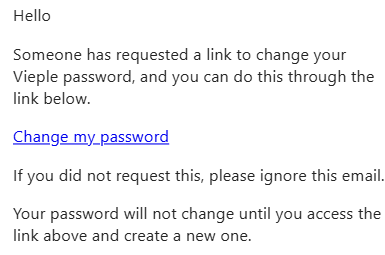
To reset your password, log in to Vieple and click on the "Forgot Password?" link and follow the prompts. This will send you an email including the steps to create a new password to restore access to your account.
My completion deadline has passed
If your deadline has passed, you will need to contact your recruiter or organisation directly to request an extension.
Please note, Testgrid (Vieple) are not permitted to extend deadlines without direct authorisation from your recruiter or organisation.
Can I resubmit a question response?
Once you have selected ‘Finish’ and submitted a response, you will not be able to attempt the question again or submit an alternate response.
In some cases, you may be permitted more than one response attempt. If an additional attempt is permitted, the number of attempts will be visible for that question.
If you believe there were extenuating circumstances that affected your submitted response to a question, please speak with your Recruiter or organisation. If a resubmission request is approved, the recruiter or organisation will advise us directly.
Please note, Testgrid are not permitted to reset any submitted responses without the direct authorisation from your Recruiter or Organisation.
Getting Help - Vieple
Experiencing a technical issue? Check the topics covered in our Technical Troubleshooting Tips - Vieple
You can also click the Chat icon at the bottom right corner of this page for quick help finding answers to common questions or troubleshooting tips.
Alternatively, click the ‘Contact us’ menu located in the top right header of this page to email a member of the support team.
